S150 KoTiX v2.2
EDIT: I have updated the ROM to version 2.3 to include a fix for Youtube and GooglePlayServices: S150 KoTiX v2.3
If you don't use them, you can stay on v2.2
05.06.2014 - Fixed Google Play Services and Youtube
26.05.2014 - New bootanimation
25.05.2014 - New 160 DPI mod using Xposed and AppSetting
24.05.2014 - Removed Gapps option, they are already there!
14.05.2014 - New base fw 20140430
The rom is based on the latest 30/04/2014 winca firmware.
As you can see in the changelog winca already added the gapps so there is no need of them anymore in the aroma installer.
There aren't big changes in the rom but I used a different method to get the 160 DPI mod using Xposed framework and AppSetting, allowing to use the default launcher and allowing me in the future an easyer way to upgrade to a new fw without needing to mod each apk file.
Anyway the xposed framework will be installed in a strange way so that will be already running the app setting module right after flash but if you try to run it, it won't work. Let's see what you guys think of it and togheter will try to find a better way of running it.
The most noticable changes anyway are in the external folders "system" and "Igo", where in system you can add system apps, modify the build.prop or other folders that you need to preinstall during flash.
The iGO folder has been added by winca in this last fw and will be copied to the internal harddisk, so i guess you should copy there the maps or whatever iGO needs.
As many of you already know in the winca folder there is an "app" folder that is used to preinstall the user apps during the flash of the firmware. In this folder you can put all the apks you like, just paying attention to remove spaces from the apk name.
I prepared a small package with some usefull apps you can paste in that folder:
https://www.dropbox.com/s/luy3f1j266qi0xb/S150%20Extra%20apps_v1.0.rar
Enjoy for now, I'll wait for your comments ;)
NOTE for new users: if you want all the above mods you'll have to choose the "Custom install" option in the installer.
Tuesday, May 6, 2014
New S150 KoTiX 2.1 Rom available!!
I've uploaded the new version of my Aroma 4.03 rom v2.1, download link is at the end of the post.
First I'd like to thanks the russian developer Dimadina for his 160 DPI mod, the UI looks a lot of better now, the third party apps and the whole UI is not zoomed anymore and it's much better to use. So all credits for this mod goes to him :good:
From Dimadina rom I also decide to copy the same MCU file becaue the V003 included in the 28/03 original winca fw is not stable and was causing me problems at boot/shutdown of the unit, like taking around 10 seconds to light up the power button before the logo.
So this is the changelog:
04.05.2014 - Added Custom Bootanimation option
30.05.2014 - Fixed Viper Lib installation
- Changed Aroma resolution to lower dpi
- Fixed Aroma progress bar
- Added option to use 160 dpi interface
I increased the Aroma resolution, so we have more room for cheboxes and the progress bar is kind of working now (need more fixes but it's ok)
Viper4Android now install without problems, you don't have to install the drivers, just enable it for the speakers.
If you select 160 DPI mod you can still choose my modded version of the radio and bluetooth apk.
I added the option to install a bootanimation in "data/local" just put the bootanimation.zip in the "bootanimation" folder, best if you use a "...x480" resolution as the screen size is 800x480, just don't use a 480x800 that is vertical mode.
If this rom don't have problems, I will stop for a while modding the 4.03 rom and I'll start porting the aroma installer, the modded radio and other mods to the 2.34 fw. With the aroma will be easyer to move to 4.03 and go back to 2.34 without flashing MCU.
(As always the firmware is made for the C001/I001 model, if you have different unit, use it at your own risk and be sure you
have the original firmware for backup and you know what you are doing,
specially regarding the risks of flashing MCU.)
(If you have different unit, use it at your own risk and be sure you have the original firmware for backup and you know what you are doing, specially regarding the risks of flashing MCU.)
Today I am releasing a modified version of it that include the Aroma installer from which you can choose which mods to install and which one not.
Ones the Aroma installer start it will ask you to choose between the Full original untouched I001_4.0_20140328 firmware or to customize the installation as you wish.
The things you can select in the custom install are:
- CWM Supersuser (root)
- Gapps (remember to activate the "Stay awake" in developer settings)
- Viper4Android Audio effects
- RadioPlayer and Bluetooth modded apks
- Flash Hardware Flash,MCU and BT
Let me explain a little what are these options:
- CWM Superuser will install SU binary and Superuser.apk to gain root access and superuser privileges to the android system
- Google Apps are the proprietary Google-branded applications
that come pre-installed with most Android devices, such as the Play
Store, Gmail, Maps, etc.
Winca did not add all the Gapps in their firmwares but many users find them beneficial to take full advantage of the
Android ecosystem.
- Viper4Android Audio is an audio enhancing software to provide everyone with better audio experiences
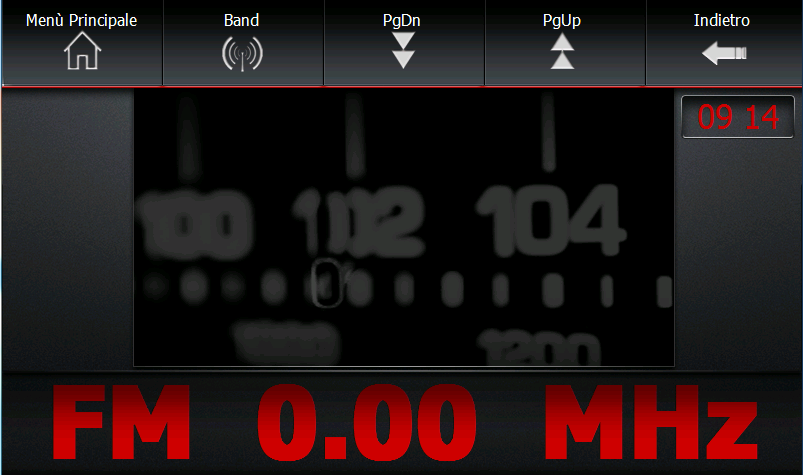
- RadioPlayer and Bluetooth I modded these 2 apps changing a little bit the graphic and the layout,
you'll have a bigger and center RDS info in the radio and a bigger and center caller id in the bluetooth app
- Flash Hardware Flash,MCU and BT Here you can choose to update or not the Flash, MCU and Bluetooth module, this is usefull to the users that come from a 2.34 android firmware that want to keep their mcu and flash. Also i would say that it's always a little risky an mcu upgrade and will be more safe to don't upgrade it very often.
My beloved S100 unit is suddenly dead, the LCD screen doesn't work anymore and i don't know if it's just that or more probably the mcu board.
If any of you people out there have enjoyed my work on S100 units, from the wince skins and skinpacks to the android conversion, the custom roms, the aroma installer etc., please, this is the time to really consider donating a few euros to let me buy the spare parts or a new unit to keep me up working on this car navi players.
Thank you in advance to everybody who will help me on this.
After a couple of months modifying the android 4.03 beta firmware for the S150 unit, we have finally an official build of the firmware.
Comparing the beta, many things has been fixed from Roadnav like GPS speed reading, 3rd party launchers behaviours, etc.. but some bugs and issue are still there and some new ones came up.
My intent is to try to fix some of the smaller bugs (even if probably I'll never be able to do it) and to be more comfortable making mods and flashing the firmware I decided to build an "Aroma installer".
The main advantage of the installer is that we can choose to make a full update of the firmware or to update just some parts of it like bootloader, kernel, configs, data, etc.. In this way will be easyer, quicker and safer to update all the custom ROMs that i'll build.
So here is the link to the first version of my custom Official 4.03 ROM:
The only differences from the original, for now, it's just the root access and a build.prop mod to show more apps in the playstore faking the device as a Nexus 4G.
---------
12.02.2014 - Added Huge Apn list from CM10.1
10.02.2014 - Added Logo external folder.
- Modified Launcher2 with 8x4 grid and centered home.
07.02.2014 - Fixed Preinstall issue in aroma
I've added the possibility to load custom logos from a "logo" folder, in the same way happen for the apps preinstall.
Just add in the logo folder all the logos you want in the format: mylogo.rle mylogo.png
After flash you will find them in Settings->Device->boot logo
If you like you can set tem manually in the file personize.prop in the config folder like this:
ro.default.bootlogo=mylogo
Just specify the same name of the files
These are the instructions to create logos:
- create your logo in png format 800x480, 16 bit (32 bit is fine too, it will just be bigger in bytes and takes longer to load)
- convert it to rle format using the tool included in the rom archive PNG2RLE.
- create another png image for thumbnail preview with size 166x108
- name the rle and the thumb file with same name eg. mylogo.rle and mylogo.png
After flash you will find them in Settings->Device->boot logo
If you like you can set tem manually in the file personize.prop in the config folder like this:
ro.default.bootlogo=mylogo
Just specify the same name of the files
If you 'd like to do it without flashing you need root access and:
- copy these 2 files using root explorer (EsFileExplorer option enabled) in the Bootlogo\Logo folder
- go in settings->device->boot logo to apply your new logo.
-------------------------------------------------------------------------------------------------------------
It's almost a year since I started modifying the interface and functionality of my car dvd unit and here you can download my latest job, a package that contain 4 skins, a "Skinmanager", a "SkinTool" and a corrected english, italian and russian languages:
The skinpack will work on unit with firmwares up to 1.18.7, it will not work with newer firmwares 1.1.8 and up.
If you have one of the new firmwares you cannot downgrade to older ones using the normal update procedure but it's still possible using a wince sd-recovery, just follow instructions included in the zip SDBOOT_wince.zip to fuse the bootloader on the SD and copy the older firmware in it.
Personal note: the newer firmwares don't have any new relevant feature respect the 1.xx.7 series
A new firmware 1.6.9 just came out with a nice new feature: the possibilty to store the radio stations by RDS name. A new skinpack for this new firmware is available here: New Skinpack 2014
Update 2: for firmware 1.7.9 you'll need this even newer skinpack Skinpack 15/11/2014
Uncompress it in the root of Sd card and insert it in the GPS slot, then set the path of the navigation software to :
\\Skinmanager\Skinmanager.exe
SkinManager will let you install or switch the UI skin in a couple of seconds, and right now you can choose between the original one, a slightly modified of the original, a Blueskin and a DarkRed skin.
Once the skins are installed, you don't even need the SD anymore, you'll find the SkinManager installed in the unit at section "Utility->pag2-> Extra" and from there you can switch skin in less then 10 seconds.
Once at least a skin is installed the original one will contain the skinmanager too.
Original Skin light mod (Skin2)
BlueSkin (Skin3)
A small video showing BlueSkin in action:
RedSkin (Skin 4)
----------------------
Skinpack Changelog :
31.10.13
- New "Audio settings" and "GPS path setting" sections in skin4
- Fixed installed English Skintool and scripts
- Added GPRS_AutoDial in Extras menu installable via Skintool
- Added mp3 buttons for c201 homescreen
- Fixed russian translation
19.10.13
- New install method using common files and skinned files
- Updated common files to latest 1.11.7 firmware (3G settings fix)
- Added Russian translation for skinned strings
- New messaging method during installations
- Added more confirmation sounds
- Fixed voPlayer launch
- Fixed Extras positions in skin 1 and 2
- Fixed home screen clock in skin3
- Skintool can update Extras and installed SkinManager
- Fixed skintool bug when applying a skin ( apply them from SM)
12/10/13
- New skin4
- Added in skintool option to set nitrogen as defaut player
- Added Extras install option
Since 31/10/13 you can have the "Music" or "Mp3"
button directly on home screen, using a little trick that make the software think you own a C201 model.
To do this you have to edit with notepad the file ADSet.xml contained in the S100PROGRAM folder and change the id="YourIdNumber" to
id="201":
for example my model c001:
Once the payment is confirmed you will be redirected to the Skinpacks folder where you can find older versions, the curent one and even the new ones when they will be available.
These are the packs included in the folder now:
- Skinpack 12.01.15 for fw 1.7.9
- Skinpack for fw 1.6.9
- SkinPack for fw 1.0.9.0 to 1.6.9
- SkinPack for fw up to 1.18.7
Wednesday, November 27, 2013
S100 - SkinPack del 31/10/2013
Qui trovate lo SkinPack per le autoradio della serie S100 contenente 4 skin, la lingua Italiana, l'Inglese ed il Russo, lo SkinManager e lo SkinTool:
Lo skinpack funziona con i firmware fino alla versione 1.18.7, non funziona con quelli più nuovi dal 1.1.8 in su e se avete un firmware di questa serie non potete fare nemmeno il downgrade.
Lo scomprimete nella root della SD e questa la mettete nello slot della SD per il GPS, nelle impostazioni settate il percorso del Navigatore a : \\Skinmanager\Skinmanager.exe
Lo SkinManager consente di installare e di cambiare l 'interfaccia grafica della radio in una manciata di secondi, al momento le skin disponibili sono quella originale, una versione modificata della skin originale, la Blueskin e la RedSkin.
Una volta installate tutte le skin non avete piu bisogno della SD troverete lo skin manager installato nella radio nella sezione "Utility->pag2-> Extra" e da lì potete cambiare skin a piacimento in meno di 10 secondi.
Dopo aver installato almeno una skin anche l'originale conterrà lo skinmanager e per toglierlo dovrete fare il ripristino con lo skintool.
Skin Originale modificata (Skin2)
BlueSkin (Skin3)
Piccolo video dimostrativo della BlueSkin:
RedSkin (Skin 4)
----------------------
Skinpack Changelog :
31.10.13
- New "Audio settings" and "GPS path setting" sections in skin4
- Fixed installed English Skintool and scripts
- Added GPRS_AutoDial in Extras menu installable via Skintool
- Added mp3 buttons for c201 homescreen
- Fixed russian translation
19.10.13
- New install method using common files and skinned files
- Updated common files to latest 1.11.7 firmware (3G settings fix)
- Added Russian translation for skinned strings
- New messaging method during installations
- Added more confirmation sounds
- Fixed voPlayer launch
- Fixed Extras positions in skin 1 and 2
- Fixed home screen clock in skin3
- Skintool can update Extras and installed SkinManager
- Fixed skintool bug when applying a skin ( apply them from SM)
12/10/13
- New skin4
- Added in skintool option to set nitrogen as defaut player
- Added Extras install option
Dal 31/10/13 c'è la possibilità di avere il pulsante "Musica" o "Mp3" direttamente nella home screen usando un piccolo trucco che consiste nel far credere al software della radio che il nostro modello sia un C201.
Per fare questo bisogna editare il proprio file ADSet.xml che si trova nella cartella S100PROGRAM con il notepad e modificare l'id="74" in id="201":
ad esempio per il mio modello c001:
Va modificato solo lì, il resto lasciate quello che avete voi, il tipo di lcd, derivativeID etc.. NON VANNO CAMBIATI.
Per chi dovesse avere un modello di autoradio con il canbus deve modificare anche il file MachineMapCanBus.xml e scambiare l'id del proprio modello con la 201.